Ghost Subscriptions: The Software You're Paying For That You Haven't Touched in Months
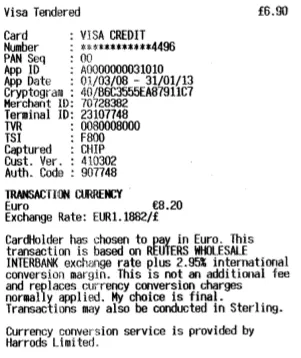
Photo: j9s, CC0, via Wikimedia Commons
There's a specific kind of financial dread that hits when you're scrolling through your bank statement and spot a $14.99 charge from some app you vaguely remember signing up for during a "productivity phase" two years ago. You open the app store. The icon looks familiar, maybe. You can't quite remember what it does. And yet — there it is, quietly renewing every single month like nothing happened.
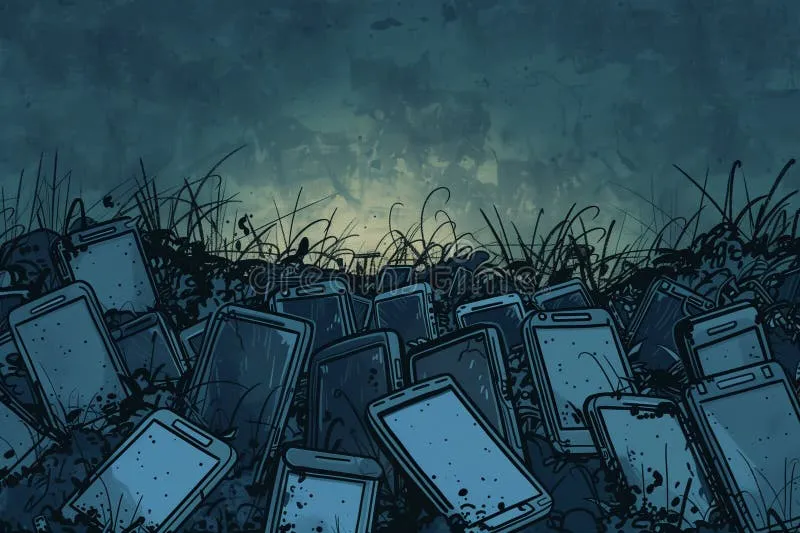
Welcome to the app graveyard. Most of us are maintaining one without even knowing it.
Why We Keep Paying for Apps We've Stopped Using
The psychology here is genuinely interesting. App developers and SaaS companies didn't stumble into subscription models by accident — they're engineered to survive neglect. When you stop using a Netflix or a Spotify, the mental friction of canceling always seems just slightly higher than the annoyance of the charge. "I might get back into it." "It's only $8." "I'll deal with it this weekend."
That's the trap. Individually, none of these charges feel catastrophic. Collectively, they add up to what researchers sometimes call "subscription creep" — a slow, invisible drain that can run $50, $100, even $200 a month before you notice anything is wrong.
And unlike a gym membership, where you at least have to walk past the building and feel guilty, forgotten apps don't even have a physical presence to remind you they exist. They just quietly auto-renew, forever, until you do something about it.
The Hidden Renewal Web You're Probably Not Tracking
Here's what makes this especially tricky: your subscriptions aren't all living in one place. They're scattered across at least four or five different billing ecosystems, and each one requires a different process to find and cancel.
Apple App Store handles billing for any iOS or Mac app you subscribed to through Apple's native payment flow. You can find these under Settings → [Your Name] → Subscriptions, but a lot of people never look there.
Google Play Store does the same for Android users. Head to play.google.com, log in, and dig into Payments & Subscriptions.
Direct billing is where things get murky. When you sign up for a web-based tool — think project management apps, design platforms, writing assistants — your credit card is often charged directly by the company, not through any app store. These don't show up in your Apple or Google subscription lists at all.
PayPal recurring payments are another hidden pocket. Plenty of services use PayPal as a payment processor, which means you've got active billing agreements sitting in your PayPal account that you've probably never reviewed.
Then there are browser extensions, annual plans that only charge once a year (making them easy to forget between charges), and team or family plan add-ons that got grandfathered into someone else's account but still hit your card.
Running the Audit: A Practical Sweep
The most effective approach is to treat this like a genuine financial audit — methodical, a little boring, and absolutely worth doing.
Start with your credit card statements. Pull the last 13 months (not 12 — you want to catch annual renewals) and flag every recurring charge you don't immediately recognize. Don't try to do this from memory. Actually look at the line items.
Cross-reference against your app stores. Check Apple Subscriptions and Google Play Subscriptions separately. These will show you active recurring charges tied to your accounts, including ones you might have started on a free trial and never canceled.
Audit PayPal. Log in, go to Settings → Payments → Manage Automatic Payments. This list is almost always longer than people expect.
Check your email for confirmation receipts. Search your inbox for terms like "receipt," "invoice," "subscription confirmed," and "renewal notice." Email is often the fastest way to surface subscriptions you forgot existed, because most services send at least an annual renewal notice.
Use a subscription tracker. Apps like Rocket Money, Truebill, or even the subscription tracking built into some bank apps can automatically surface recurring charges by analyzing your transaction history. They're not perfect, but they're a solid starting point.
The Decision Framework: Keep, Pause, or Kill
Once you've got a full list, the real work is deciding what to do with each item. A simple three-bucket approach works well here.
Keep anything you've used in the last 30 days and plan to keep using. Easy.
Pause or downgrade anything you use occasionally but not enough to justify the current tier. Many SaaS tools offer lower-cost plans that might actually fit your real usage patterns. A quick email to support asking about downgrade options often works — companies would rather keep you at a lower price than lose you entirely.
Kill anything you haven't opened in 90 days or more. If you can't remember what it does or why you signed up, that's your answer. Cancel it today, not "this weekend."
For anything you cancel, set a calendar reminder 30 days out to see if you actually missed it. If you didn't even notice it was gone, you made the right call.
Building Barriers Against Future Subscription Creep
Auditing is a one-time fix. The real win is building habits that prevent the graveyard from filling back up.
Create a "subscriptions" label or folder in your email and route all billing confirmations there automatically. When you cancel something, archive the cancellation confirmation in the same place. You'll always have a clean record.
Use a virtual card for free trials. Services like Privacy.com let you generate single-use or merchant-locked virtual card numbers. When the trial ends and the app tries to charge you, the card declines automatically. No awkward cancellation required.
Set a quarterly subscription review on your calendar. Thirty minutes, four times a year. That's all it takes to keep the list clean.
Apply a 48-hour rule before subscribing to anything new. Most subscription decisions happen impulsively — you're in the middle of a project, you hit a paywall, and you just want to keep moving. Waiting 48 hours filters out a huge percentage of subscriptions you'd regret within a month.
The Bigger Picture
Your digital stack should be working for you — not quietly extracting money in the background while you sleep. The apps that deserve a spot in your toolkit are the ones you actually open, that solve real problems, and that earn their renewal every single month.
Everything else is just noise. And noise, in this case, costs money.
Do the audit. Build the system. And the next time you spot a mysterious charge in your statement, make sure it's for something you actually chose to keep.